
A rainy Sunday with two children in the house has a predictable price tag. You drive to the shop, buy an activity book for about $8, and it keeps them quiet for an hour. Then it is finished, the pages are drawn on, and the next one costs another $8. Teachers face the same arithmetic with a class of thirty: one book, thirty children, and nothing left for next week unless they spend their evening drawing mazes by hand and checking that every one actually has a way out.
MazeQuest Studio is a browser app that removes the drawing and the checking. You pick a theme, a difficulty and a page count, press the button, and it builds a complete activity book as a print-ready PDF: mazes, word searches and dot-to-dot pages, with an answer key at the back, in US Letter or A4. Every maze is generated by an algorithm, so every maze has a working solution.
The front-end price is $17 one time, and the front-end plan lets you create up to 20 books a month. Buyers through this review also get my bonus stack, delivered by email. The first CTA is below.
Get MazeQuest Studio for $17 + My Bonuses
What is MazeQuest Studio?
It is a web app that generates children's activity books and exports them as print-ready PDFs. You choose a theme, a difficulty level, a page count and the puzzle types, and it draws the mazes, word searches and dot-to-dot pages for you, checks the paths and lays out the book. Nothing is installed and there is no design software to learn.
The product is aimed at three kinds of buyer, and it is worth being clear about which one you are. Parents and grandparents want a fresh book for a car trip or a wet afternoon without paying shop prices every time. Teachers want a set of pages matched to the children in front of them, and a new set next week. KDP and Etsy sellers want to build activity books to list, which is a different job with a different licence attached.
That last distinction is the one people trip over. The front-end version is licensed for personal use: printing for your own children, your own classroom, or as gifts. The commercial licence that lets you sell books you make with the app sits behind an upgrade shown on the page after checkout.
What do you get for $17?
The front-end version is the book builder, and the feature list is short enough to check against the actual app rather than take on faith. Three puzzle types, four themes, three difficulty levels, unlimited page-count choice up to the book size you set.
- Mazes. Generated with an algorithm, so each one has a real path from start to finish. No dead-end traps and no maze with no way out.
- Word searches. A themed grid with a word list that matches it.
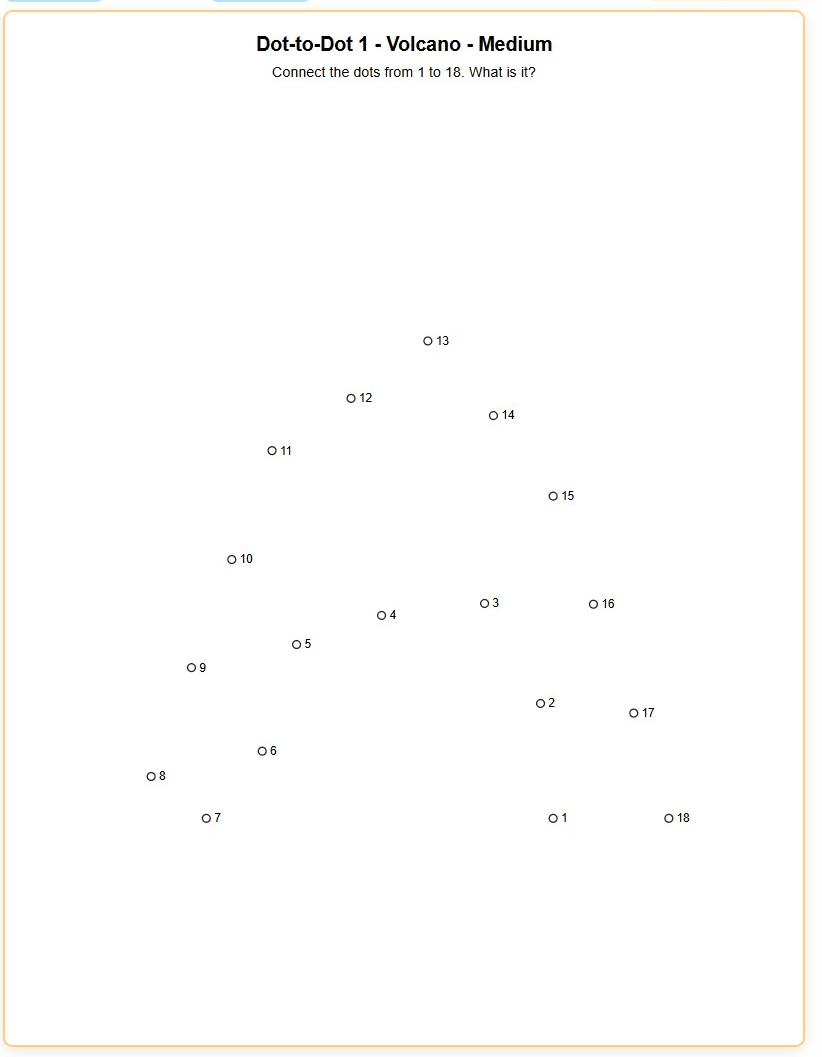
- Dot-to-dot pages. Numbered points that form a picture when a child connects them.
- Four themes kids actually ask for. Dinosaurs, Space, Animals and Christmas. Pick one theme for the whole book, and every page matches it.
- Three difficulty levels. Easy, Medium and Hard, so you can match the book to a younger child or an older one instead of handing them pages that are too easy or too frustrating.
- You choose the length. A short book for a car rideask, or a thick one for a rainy week.
- Preview every page before you print. Flip through the whole book on screen and change a page before you export it.
- Print-ready PDF, two sizes. US Letter at 8.5 x 11 inches, or A4. Both are sized correctly for home printers and for uploads.
- An answer key at the back. Parents and teachers can check answers without solving every page first.
The front-end plan allows up to 20 books a month. For a parent or a classroom that is far more than needed. For a seller testing a niche it is enough to find out whether the niche is worth pursuing before paying for more.
How does MazeQuest Studio work in three steps?
The whole flow is: pick a theme, set the difficulty and page count, export the PDF. The app does the drawing, the layout and the answer key. Most books take about a minute from start to export, and the same settings never give you the same book twice, because each puzzle is generated fresh.
Here is the detail behind each step.
- Pick a theme. Dinosaurs, Space, Animals or Christmas. The theme drives the artwork on the cover and the word lists inside the word searches, so the book is consistent from page one to the answer key rather than a mixed bag of clip art.
- Set difficulty, puzzle types and length. Easy, Medium or Hard. Tick mazes, word searches and dot-to-dot, or any combination of the three. Choose the page count, from a short book for a car ride to a thick one for a rainy week.
- Preview, then export. Flip through every page on screen before you commit. If one does not look right, generate again. When you are happy, download the PDF in US Letter (8.5 x 11 inches) or A4.
That preview step is doing more work than it looks like. It is the difference between exporting a book you hope is fine and exporting one you have actually looked at, page by page, on the same screen your printer will use.
Who is MazeQuest Studio for?
Parents and grandparents get the most obvious use. A fresh dinosaur book for a rainy Sunday, a space book for a car trip, a Christmas book for the week the schools close. At $8 for a shop-bought book that lasts an hour, a $17 app that makes 20 books a month pays for itself on the second or third book.
Teachers and tutors get the second use. One book, thirty children is the reason primary teachers stop buying activity books. Here you can set the difficulty to the year group, print a class set, and make a different book next week without re-buying anything.
KDP and Etsy sellers get the third use, with a caveat that matters. The front-end version is for personal use. If you want to sell the books you make, the commercial licence is an upgrade on the page after checkout. Read that page before you buy, because a seller who ignores it is building a business on the wrong licence.
What bonuses do you get?
Every purchase today also includes five ready-made bonus packs, worth $100 by the vendor's own valuation. These are real PDF books, made with the app, ready to print — not templates you have to generate yourself.
- Christmas Party Pack ($20). Three Christmas books at Easy, Medium and Hard, so siblings of different ages can work at the same table.
- Birthday Activity Pack ($20). Three Animals books for a birthday party table, which is the exact moment a parent needs a quiet activity that is not a screen.
- Classroom Starter Pack ($20). Five Space books in a mix of difficulties, built for a teacher covering a range of ability in one room.
- Rainy-Day 30-Book Bundle ($20). Thirty books, one for each day of the month. This is the pack that removes the "what do we do now" conversation from a wet school holiday.
- Cover Template Pack ($20). Ten full-colour cover designs in four colour palettes, which saves you designing a cover for every new title.
That is $117 of value for $17, on the vendor's numbers. They set the bonus valuations, and the app price is the app price. The bonus packs are the part you would otherwise pay for in time: thirty ready books is a month of rainy afternoons already solved.
Grab MazeQuest Studio for $17 + My Bonus Stack
What should you know before you buy?
- The front-end licence is personal use. Selling the books you make requires the commercial-licence upgrade shown after checkout. For KDP and Etsy sellers that upgrade is the real cost of entry, not the $17.
- It builds the inside of the book, not a cover. Use KDP's free Cover Creator, the bonus cover templates, or a design tool you already own. Do not expect the PDF export to hand you a finished listing.
- It does not promise sales. The app makes a print-ready book quickly; whether a KDP listing sells depends on your niche, keywords, cover and patience, which is exactly what the vendor says on the page.
How much does MazeQuest Studio cost?
The front-end price is $17, charged once. It includes the book builder, all three puzzle types, the four base themes, the three difficulty levels, the page-count control, the preview, both PDF sizes and the answer key. The front-end plan allows up to 20 books a month, for personal use.
There is no subscription on the front-end. Optional upgrades are shown at checkout, each on its own page with a way to decline. None of them is needed to make and print a complete book.
The checkout is open now. Payment is one time, and access to the web app follows the purchase.
Does the app really produce mazes with a way out?
Yes. Every maze is generated by an algorithm rather than drawn by hand, so the path between start and finish is laid down before the walls are, and the answer key at the back of the book shows the solution. That matters because a hand-drawn maze with one wall in the wrong place has no exit, and a child who hits that dead end stops trusting the book.
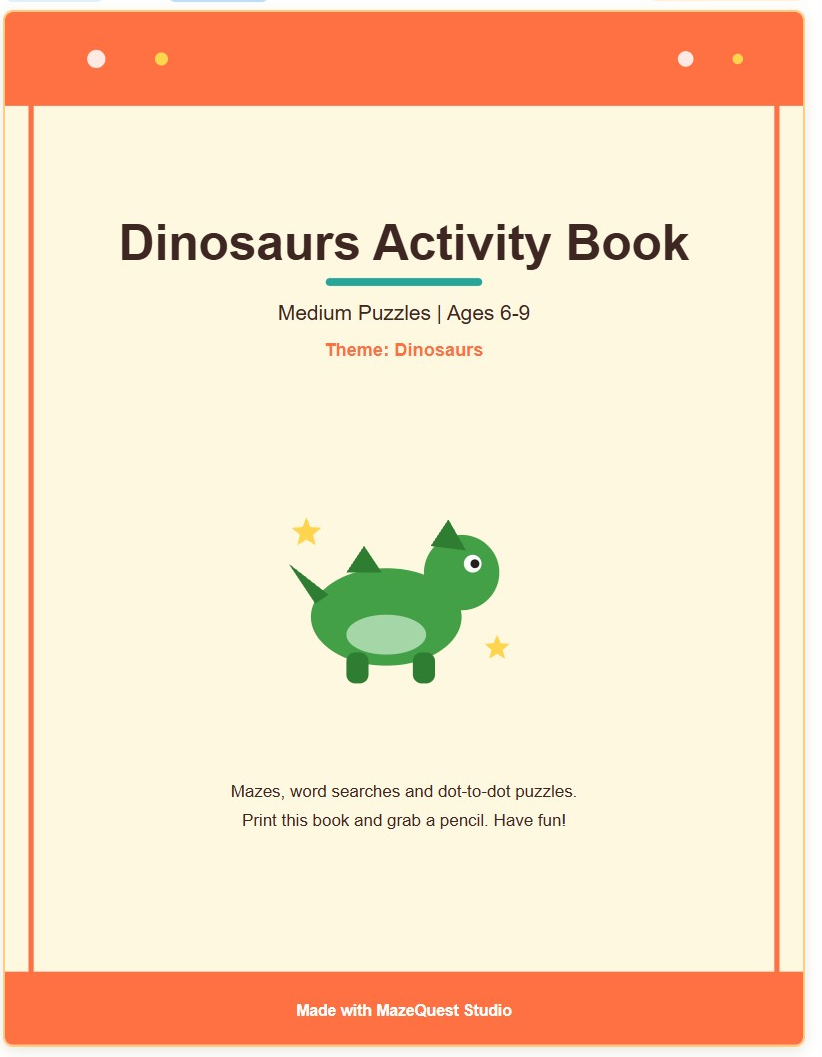
I generated a Dinosaurs book at Medium difficulty with 12 puzzle pages while checking the app: it produced four mazes, four word searches and four dot-to-dot pages, a colour cover, and a black-and-white answer section at the end. The file downloaded at the page size the settings named.
Is it worth $17 for a parent or a teacher?
For a parent, yes, on the arithmetic alone. One shop-bought activity book costs around $8 and lasts an hour. The front-end app costs $17 and makes up to 20 books a month, so it is cheaper than three shop books in the first month alone, and the books can be themed to whatever the child is currently obsessed with.
For a teacher, the case is stronger. A class set of thirty printed books from a shop is a budget line nobody approves. Here you print the pages you need, set the difficulty to the year group, and keep the answer key for marking. The Christmas and Space themes slot straight into the term's topics.
For a KDP seller, the case is narrower. You need the commercial licence, priced after checkout, and you need a cover and keywords of your own. The app removes the hours of maze-drawing; it does not remove the market research.
What is my own bonus for MazeQuest Studio buyers?
Buyers through this review also get my Print-and-List Kit, a small set of companion files that plugs into the app rather than duplicating it. These are the working files I use when I test activity-book generators:
- The KDP Activity Book Listing Template. A title, subtitle, description and keyword sheet laid out for the children's activity category, with prompts for the age range and the puzzle types so the listing does not read like a copy-paste.
- The Theme Rotation Calendar. Twelve months mapped against the four base themes, so you know when to build Dinosaurs, Space, Animals and Christmas and what to swap in during the gaps.
- The Print-Then-Trim Checklist. Paper weight, gutter, bleed and margin checks for a home printer and for KDP, in the order you should check them, so a page that looks right on screen still looks right in the hand.
- The Rainy-Day Activity Plan. A one-page schedule that matches the five bonus packs to school holidays, so the packs get printed and used instead of sitting in a folder.
Email support@testedapps.com with your subject line "MazeQuest Studio bonuses" and the receipt, and the kit comes back to you.
Start with MazeQuest Studio for $17 + My Bonuses
Final verdict
MazeQuest Studio is the rare activity-book tool that does not oversell itself. It makes one minute-book-sized promise, prints a real book with a real answer key, and tells you plainly that the front-end licence is personal use and the cover is your job. At $17 with five ready-made packs worth $100 behind it, the value question is settled before you open the app.
Four and a half out of five. The half-point is for sellers: the commercial licence being on the next page is fair, but it means the $17 headline is not the full cost of a KDP library, and that should be the first thing a seller sees.
Get MazeQuest Studio for $17 + My Bonus Stack
If you have already bought it: which theme is earning its place in your printer tray, Dinosaurs or Space? Tell me in the comments.
Some links in this article are affiliate links; I may earn a commission at no extra cost to you.