
Reviewed by Kamal, TestedApps.com
Some links below are affiliate links; I may earn a commission at no extra cost to you.
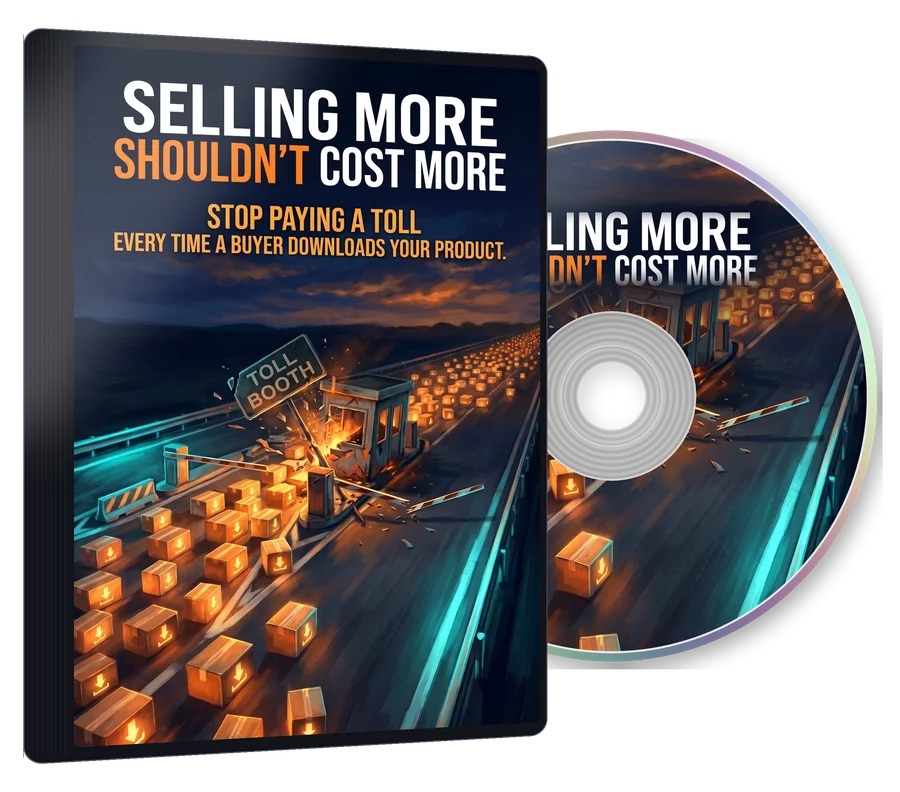
You made the sale, and you are still paying for it. Every time a buyer downloads your ZIP file, a storage provider can charge you for the bandwidth — one more laptop, one more phone, one more re-download, all billed to you. Selling More Shouldn't Cost More is an eight-lesson video course that shows you how to move digital downloads onto Cloudflare R2 so the per-download toll disappears. The launch price is $17 one time, and my bonus pack adds a migration planner and a delivery-email swipe file.
Get Selling More Shouldn't Cost More plus my bonuses for $17
What Is Selling More Shouldn't Cost More?
Selling More Shouldn't Cost More is a short, practical video course on delivering digital products without per-gigabyte download charges. It teaches you to set up Cloudflare R2 storage, connect it to a WordPress site and hand customers a secure download button. At its core it solves one problem: the bill that grows every time a buyer collects what they already paid for.
The training runs eight lessons totalling about 31 minutes. It starts with the economics of the so-called download toll and ends with a working download button on your own WordPress site. There is no coding, no command line and no assumed background in cloud storage — the lessons start from zero and build one working setup.
The course also carries Private Label Rights, so it is both a piece of infrastructure education for your own business and a product you can rebrand and sell to the same audience of course creators, membership owners and digital sellers.
What Do You Get Inside the Training?
The eight videos are deliberately short so you can finish them over a lunch break and jump straight back to the one lesson you need later. Here is what the lessons cover:
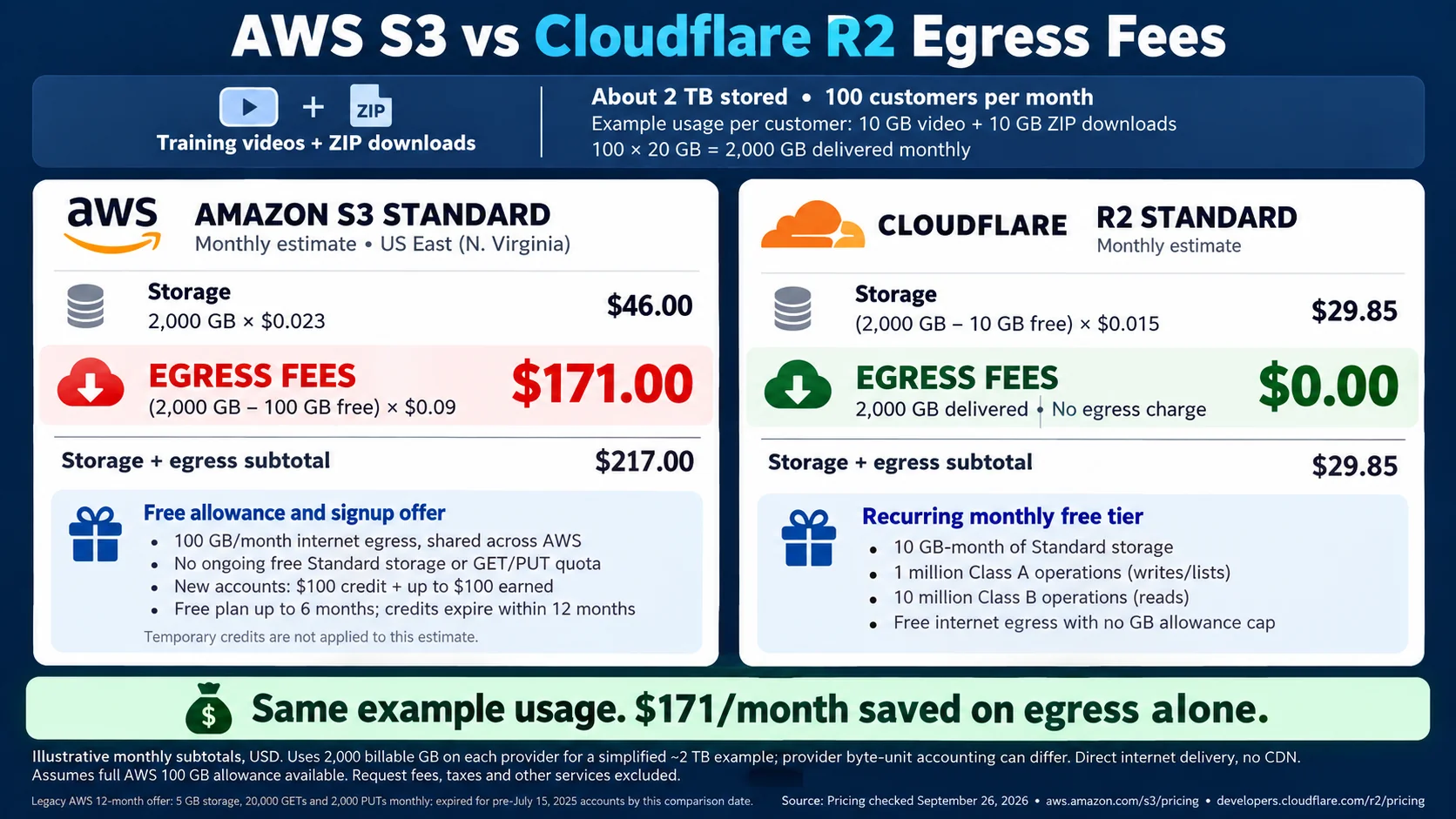
- Lesson 1 — The download tax. The arithmetic behind a 1 GB product downloaded 1,000 times, using prices checked on 26 September 2026, and why popularity raises the bill.
- Lesson 2 — Activate R2. Where to find the service in your dashboard, what it asks for, and what to expect from the signup.
- Lesson 3 — Your first bucket. Naming a bucket correctly the first time, because names are permanent, and keeping it private by default.
- Lesson 4 — One bucket, many folders. A folder per product and an upload routine that keeps a growing catalogue organised.
- Lesson 5 — Access keys. Creating keys limited to one bucket, storing the secret safely, and understanding how apps authenticate.
- Lesson 6 — Desktop management. Connecting the free Cyberduck client so you can move files without logging into a dashboard.
- Lesson 7 — Large files. Uploading files over 300 MB, which the browser dashboard will not accept.
- Lesson 8 — Secure WordPress downloads. Moving keys into wp-config.php and placing a protected download button on a page or post.
Alongside the videos you get a quizbook and teacher's guide, a two-page-per-lesson playbook and checklist, a copy-and-paste guide with every setting and shortcode, three fast-action bonus packs, and MP3 audio of all eight lessons. Everything except the "how to repurpose PLR" bonus carries commercial rights.
How Does the Setup Work in Three Steps?
You activate storage, connect it to your site, then hand buyers a protected link. The eight lessons map onto that sequence, so you are never learning a setting before you know why you need it.
- Turn on R2 and create a private bucket. Pick the name and location once, then make one folder per product. The course walks through the dashboard choices and flags the settings that are awkward to change later.
- Issue scoped access keys and connect your tools. You create keys that reach only the bucket you chose, hook up a desktop client for large uploads, and move the credentials out of the database and into your site configuration.
- Publish a protected download button. With the files in place, you add a shortcode to a page or post so customers get a secure link and you stop paying a fee for every download.
The proof that this works is built into the offer: the course's own downloads come from R2 through a protected button on the vendor's members site. It is delivered the way it teaches, which is more convincing than a screenshot of someone else's dashboard.
Who Is This Course For?
It fits three buyers: digital sellers handing over ZIP files, membership operators with a steady stream of downloads, and PLR sellers sitting on video packages that are expensive to deliver through a metered service.
- Course and ebook sellers. If your product is a large download and your buyers re-download it, the per-gigabyte charge is the one cost that grows without you doing anything.
- Membership site owners. Heavy download traffic turns a predictable storage bill into a variable one; this gives you a fixed-cost delivery route.
- PLR resellers. The included rights mean you can rebrand the training and sell it to the same frustrated buyers, or teach it live.
If you sell only tiny files to a handful of customers, the setup time may outweigh the savings — the arithmetic in lesson one tells you quickly whether it is worth your afternoon.
How Much Does Selling More Shouldn't Cost More Cost in 2026?
The launch price is $17 as a one-time payment, reduced from the regular $37 for the launch window. That covers all eight 1080p videos, the MP3 audio, the quizbook and teacher's guide, the playbook and checklist, the copy-and-paste guide and the fast-action bonuses, along with Private Label Rights. Optional upgrades may be shown at checkout.
The vendor also offers a 7-day money-back satisfaction guarantee, so you can work through the setup and confirm the download button behaves before the window closes. The $37 figure is the stated price after the launch period, so the practical advice is to check the live total rather than assume the launch figure will still be there next week.
What Bonuses Do You Get From TestedApps?
My link adds a migration pack built from the delivery problems I see most often in digital-product reviews. It lands by email after your purchase clears and is designed to get you from "bucket created" to "customers downloading" without the second-guessing.
- The R2 Migration Planner — a one-page sequence for moving an existing catalogue into folders without breaking live links mid-migration.
- Delivery Email Swipe File — ten ready-to-edit messages for sending download links, handling an expired link and following up after a purchase.
- The Storage Cost Worksheet — the simple multiplication from lesson one, preformatted for your own file sizes and monthly download counts.
- A 15-minute walkthrough of the WordPress connection, including the two settings most likely to cause a broken button.
Delivery is manual: email support@testedapps.com with your receipt and the subject line "Selling More bonuses" and I will send the pack over.
Claim Selling More Shouldn't Cost More and my bonuses for $17
What to Know Before You Buy
- You need a WordPress site. The final lesson puts the download button on a WordPress page or post; the training does not cover other content management systems.
- Storage is not free forever. R2 removes the per-gigabyte download charge, but storage beyond the monthly allowance still costs money, as does equivalent storage elsewhere.
- A card is required at signup. The vendor notes that Cloudflare asks for a card on file even on the free tier, so have one ready before lesson two.
Common Questions About Selling More Shouldn't Cost More
Do I need to know how to code?
No. The whole course is point-and-click inside a dashboard and a WordPress settings screen. The vendor explicitly starts from zero, avoids the command line, and supplies a copy-and-paste guide for every setting and shortcode used in the videos.
Will this work with a non-WordPress site?
The storage half will — R2 works with any tool that speaks the S3-style connection. The lesson that places a protected download button, however, is written specifically for WordPress, so you would need to build that piece yourself on another platform.
How long does the training take?
Eight lessons run 31 minutes in total, so one lunch break covers the whole course. Later, when you need to rotate keys or upload an oversized file, you can jump to the relevant lesson and be done in a few minutes.
What exactly does the commercial rights licence allow?
The Private Label Rights let you rebrand and sell the training, teach it live, add it to a membership and bundle it with other products. The one exception is the "how to edit and repurpose PLR content" bonus, which is for your own use and cannot be passed to customers.
Is there a guarantee?
Yes. A 7-day money-back satisfaction guarantee covers the purchase. If the material is not what you expected, you can ask for a refund inside that window; the offer is not a subscription.
Final Verdict
This is refreshingly narrow: one recurring cost, one clean fix, eight short lessons. The lesson-one arithmetic makes the decision for most buyers — if you ship large files to many customers, a metered download bill pays for this course quickly. Add PLR rights at a $17 launch price and it is a sensible buy for both users and resellers.
Get Selling More Shouldn't Cost More and start fixing your download bill for $17
What is your current monthly download bill — and would a fixed-cost route make your launches less stressful? Tell me in the comments.
Some links above are affiliate links; I may earn a commission at no extra cost to you. Reviewed by Kamal for TestedApps.com.