
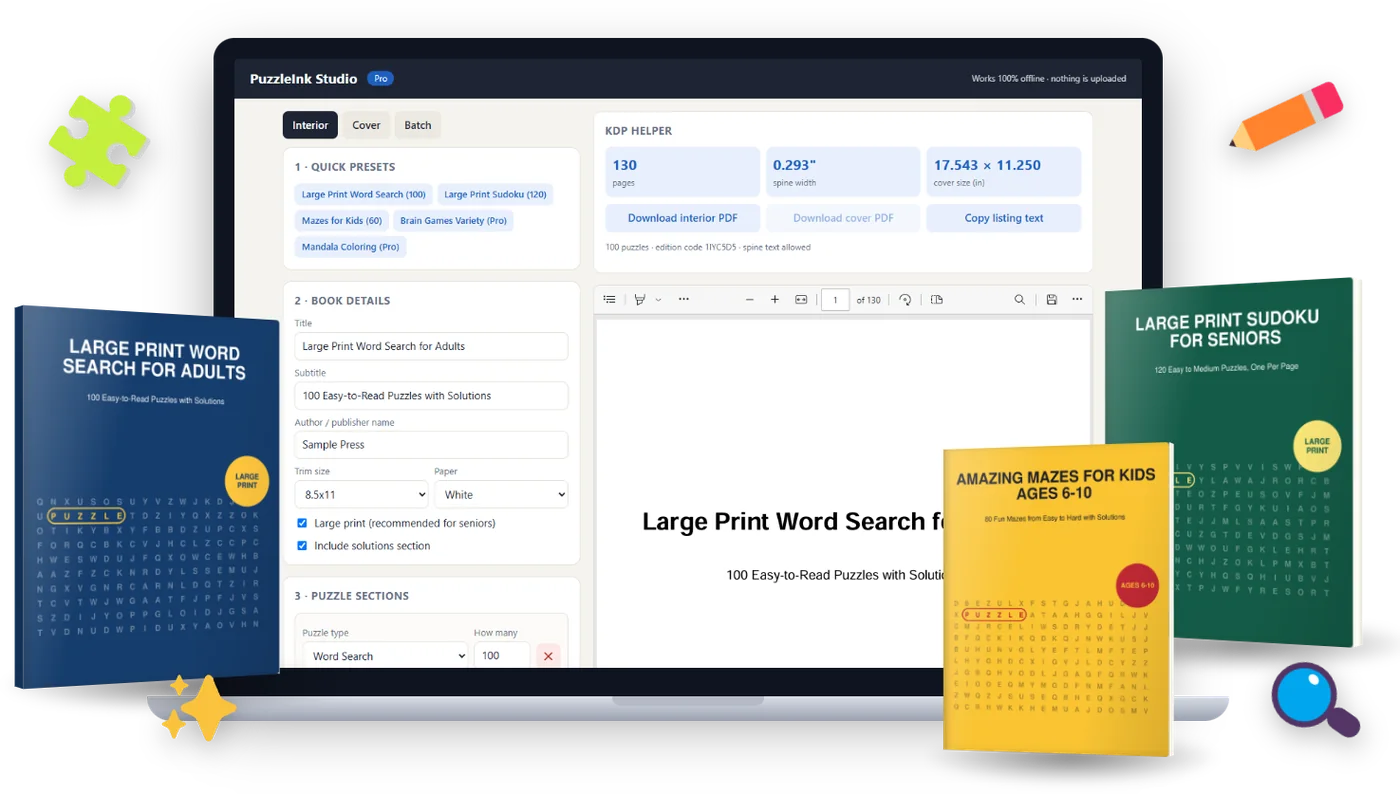
Puzzle books are one of the steadiest categories in self-publishing. Word searches, sudoku and mazes sell all year: to retirees with a morning ritual, to families buying a thoughtful gift, to parents who want something screen-free for the kids. Large print editions for seniors are especially popular, and readers who like one book tend to look for the next volume. The problem has never been demand. It is building a 100-puzzle book by hand.
PuzzleInk Studio is a $17 offline app that builds the whole interior: print-ready Word Search, Sudoku and Maze books sized for Amazon KDP paperbacks, with solutions and all. No design skills, no monthly fee, no AI subscription and no internet connection needed. It runs on Windows, Mac and Chromebook. Order through this review and my Puzzle Publisher Kit comes with it, delivered by email.
Get PuzzleInk Studio for $17 + My Bonuses
What is PuzzleInk Studio?
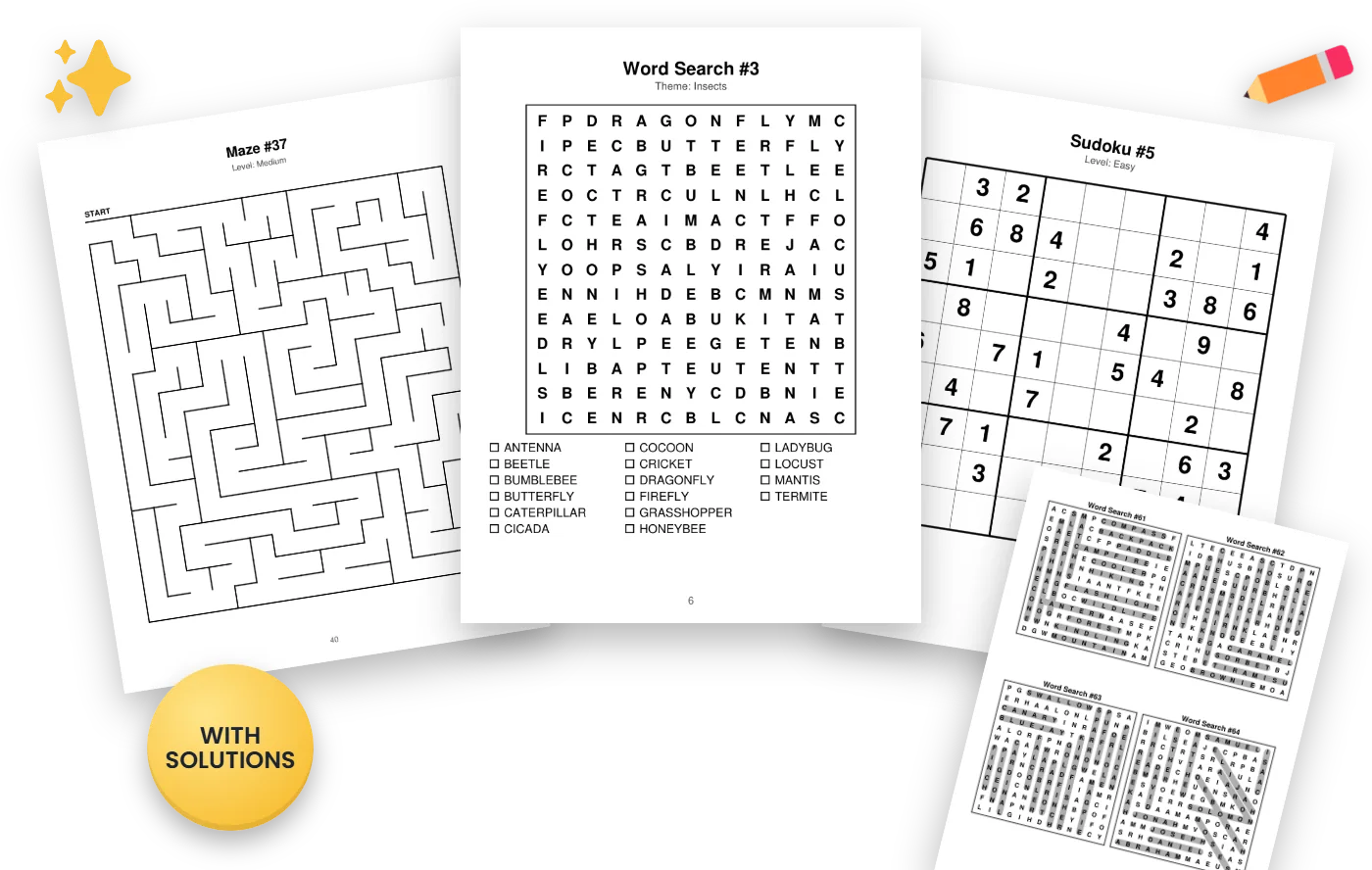
PuzzleInk Studio is a $17 offline app for making print-ready puzzle book interiors for KDP. It generates three puzzle types, Word Search, Sudoku and Maze, across four KDP trim sizes, with 30 theme word lists built in. You pick a preset or build your own, choose how many puzzles and how hard, and click Generate. The app lays out the title page, copyright page, how-to-play pages, puzzles one per page, the solutions section and page numbers, then exports a PDF you can upload to KDP.
It is deliberately a one-time purchase. The page calls out zero monthly fees, no AI subscription and no requirement to be online. Everything runs from a single file on your own computer, which is why it works on a Windows laptop, a Mac or a Chromebook, including on a machine without a reliable connection.
The real work it removes is the fiddly part. Building a 100-puzzle book by hand means fiddling with grids, checking every answer, laying out a solutions section, getting the margins right for KDP and calculating the spine. PuzzleInk does that in a couple of minutes. It also ships a KDP helper that shows page count, spine width, exact cover size and even drafts your listing text.
How does PuzzleInk Studio work?
PuzzleInk works in three steps: pick a preset or build your own, click Generate, then download the PDF and upload it to KDP. The app handles the layout, the solutions and the print settings, so you never touch a spreadsheet or guess a spine width.
First you choose the puzzle types, the count, the difficulty and the theme. Thirty ready-made word themes are included, from gardens and birds to travel, Christmas and Bible names. You can also paste your own words as a custom theme, which is how a homeschool parent turns a weekly spelling list into a printable activity book. Presets like Large Print Word Search, Large Print Sudoku and maze sets give you a starting point in one click.
Then you generate. The app builds the entire interior in one pass: title page, copyright page, how-to-play pages, puzzles one per page, solutions at the back and page numbers throughout. Every sudoku is generated with one unique solution, and the answers are verified by the generator rather than checked by eye. Margins are mirrored and the gutter is set for your page count and trim size, which is what stops KDP's previewer flagging text in the margin.
Finally you download the PDF. The KDP helper shows the exact page count, spine width and cover size to hand to a cover designer, and drafts listing text you can adapt. Each new edition code produces a completely different set of puzzles, so making Volume 2 or Volume 3 does not repeat Volume 1.
What do you get in the $17 front end?
The front end is one $17 payment for the app. There is no subscription and no internet requirement, and the generated interiors are yours to upload to KDP.
- Three puzzle generators. Word Search, Sudoku with one unique solution, and mazes from easy to expert.
- Four KDP trim sizes. Pick the size the book needs and the app sets the layout to match.
- 30 theme word lists. Gardens, birds, travel, Christmas, Bible names and more, plus your own custom word lists.
- A complete interior builder. Title page, copyright page, how-to-play pages, one puzzle per page, solutions and page numbers, all generated together.
- KDP-ready margins and gutter. Mirrored margins sized for your page count and trim size, so the previewer stops complaining.
- The KDP helper. Page count, spine width, exact cover size and drafted listing text in one place.
- Edition codes. Generate fresh puzzle sets for Volume 2, Volume 3 and beyond without repeating the first book.
- Offline, cross-platform access. One file that runs on Windows, Mac and Chromebook with no monthly fee.
Who is PuzzleInk Studio for?
PuzzleInk suits KDP publishers who want a steady category without the manual layout work, parents and teachers who need print-ready puzzles with their own word lists, and beginners with no design background who want a first book that passes the KDP previewer. The shared benefit is a finished interior instead of a weekend lost to a spreadsheet.
A KDP seller can turn a theme into a large print book in an afternoon and use edition codes to build a series. A homeschool parent can paste the week's vocabulary into a custom theme and print an activity book at home, answer key included. And a complete beginner gets print settings that would otherwise take trial and error to learn.
What bonuses do you get with PuzzleInk Studio?
Order through this review and my Puzzle Publisher Kit comes with PuzzleInk Studio, sent by email once your receipt clears. The kit targets the part after the PDF is exported: getting the book listed and the series started.
- The Interior-to-Listing Swipe. A description template and five bullet points written for a puzzle book, so the listing explains the format instead of guessing at it.
- The 30-Theme Expansion Sheet. Ideas for turning the built-in themes into a numbered series, with the naming pattern for Volume 2 and beyond.
- The KDP Checklist. A short pre-upload list covering trim size, margins, spine and cover size, so the first submission is the one that passes.
Email support@testedapps.com with the subject "PuzzleInk bonuses" and your receipt, and the kit comes back to you.
Claim PuzzleInk Studio for $17 + My Bonus Kit
What should you know before you buy?
- It builds interiors, not covers. The covers shown on the page were made with an optional cover maker; the $17 app produces print-ready interiors and the KDP helper gives you the cover size to hand to a designer.
- It runs offline, from one file. There is no account or subscription, and no need to be connected while you build.
- It does not promise sales. The page is clear that PuzzleInk makes the book interiors; what the listings earn is up to the publisher.
How much does PuzzleInk Studio cost?
The front end is $17 once. That buys the app, three puzzle generators, four trim sizes, 30 word themes, the interior builder, KDP-ready margins, the KDP helper, edition codes and offline access on Windows, Mac and Chromebook. There is no monthly fee and no AI subscription.
The offline nature of the app is a practical advantage that is easy to overlook. There is no login to lose, no browser tab to keep open and no service that can change its pricing mid-project. The file sits on your computer, so a book you started in one session is still there months later when you decide to publish Volume 3. For anyone who has built a listing around a tool that later moved behind a paywall, that permanence is worth a lot.
Optional upgrades are shown at checkout, each on its own page with a way to decline. None is needed to generate and upload a finished puzzle book interior.
Is PuzzleInk Studio worth it for a new KDP publisher?
For a new publisher, the barrier to puzzle books is not the idea. It is the production: grids, answers, solutions, margins and spine width. PuzzleInk removes all of it in one pass, so the first book can be a finished PDF rather than a half-built spreadsheet. The offline, one-time nature of the app means there is no subscription to justify between books.
At $17, one sold book can cover the cost, and the edition codes make it easier to turn one theme into a series rather than a single listing. The KDP helper removes the guesswork that sends first-time uploads back for a fix.
Build your first puzzle book with PuzzleInk Studio for $17 + My Bonuses
If you have published on KDP, which format would you try first: large print word search, sudoku, or mazes? Tell me in the comments.
---
Some links in this article are affiliate links; I may earn a commission at no extra cost to you.